You inherit a folder of PDFs from somewhere upstream, and the task sounds trivial: tell me which bookmarks jump to an external URL, which ones run JavaScript, and where the internal ones actually land. Then you open the API reference and discover the library can create every one of those actions but offers nothing to read them back. This asymmetry is everywhere in PDF tooling. Writing a bookmark that opens https://example.com is a one-liner; asking an existing bookmark "what do you do, and to what target?" usually means hand-walking the raw object tree through /A, /S, /Dest and a fan-out of fit-type variants that almost nobody gets right the first time
PDF Library for Delphi is a native Object Pascal PDF library for Delphi and C++Builder, and for a long time it had the same gap: rich write-side setters, getters that handed you back a bare TPDFObject and left you to spelunk. The v3.77.0 release closed part of that with a small set of typed introspection calls that report the action kind, the action payload, and the destination geometry as plain records. This article is about how those calls map onto the ISO 32000-1 action and destination model, and the three concrete traps that make hand-rolled versions of this code go quietly wrong
Why reading actions is harder than writing them
An action in PDF is a dictionary with an /S key naming its subtype: GoTo, GoToR, URI, Launch, Named, JavaScript, and a longer tail you rarely meet (ISO 32000-1 §12.6.4). The trouble is that the payload lives in a different key for every subtype, and there is no uniform "give me the target" slot. A URI action keeps its address in /URI. A GoToR or Launch action keeps a file specification in /F. A JavaScript action keeps its script in /JS, which may be either a string or a stream. A GoTo action carries no payload of its own at all; its target is a destination, hanging off /D, that you then have to resolve separately
When you write an action you know its kind up front, so none of this matters. When you read one, you have to branch on /S first, then reach into the right key, then handle the fact that the same logical concept ("the thing this action points at") is encoded three incompatible ways. That branching is exactly what the typed getters absorb. GetOutlineActionInfo and GetAnnotActionInfo both return a TPDFlibActionInfo record:
type
  TPDFlibActionKind = (akNone, akGoTo, akGoToR, akURI,
                       akLaunch, akNamed, akJavaScript);

  TPDFlibActionInfo = record
    Kind: TPDFlibActionKind;
    URI: AnsiString;          // populated for akURI
    JavaScript: WideString;   // populated for akJavaScript
    FileName: AnsiString;     // populated for akGoToR / akLaunch
    OpenInNewWindow: Boolean; // akGoToR / akLaunch
  end;
The record tells you which fields are meaningful by way of Kind. If Kind comes back akURI, read URI and ignore the rest. If it comes back akGoTo, none of the payload fields apply and you move on to the destination, which is a separate call covered further down. akNone is the honest answer when the bookmark or annotation has no action at all, rather than a zero you have to guess the meaning of
Walking the outline tree to find a bookmark
Before you can introspect a bookmark you need its handle. PDF Library for Delphi identifies outline nodes by an integer ID, and FindOutlineByTitle locates one by its visible text with explicit control over how far the search reaches:
type
  TPDFlibOutlineSearchDepth =
    (osdSiblingsOnly, osdChildrenOnly, osdFullSubTree);

function FindOutlineByTitle(const Title: WideString;
  StartOutlineID: Integer;
  Depth: TPDFlibOutlineSearchDepth): Integer;
The Depth argument is the part worth pausing on. osdSiblingsOnly scans the sibling chain at the starting node's level and stops; it will find a peer bookmark but never descend into a peer's children. osdChildrenOnly looks one level down, into the immediate children of the start node. osdFullSubTree recurses through the entire branch. Picking the wrong one is a silent miss, not an error: a sibling-only search for a title that lives two levels deep simply returns zero, and you conclude the bookmark does not exist when it was there all along. Pass GetFirstOutline as the start ID to search from the document root
var
  Lib: TPDFlib;
  FoundID: Integer;
begin
  Lib := TPDFlib.Create;
  try
    if Lib.LoadFromFile('report.pdf', '') = 1 then
    begin
      // Search the whole tree from the root for a nested bookmark.
      FoundID := Lib.FindOutlineByTitle('Appendix B',
        Lib.GetFirstOutline, osdFullSubTree);
      if FoundID <> 0 then
        // FoundID is now a handle you can pass to the action and
        // destination getters below.
        ;
    end;
  finally
    Lib.Free;
  end;
end;
Matching is on the exact title string, compared as a WideString, so it is case-sensitive and respects the Unicode text exactly as stored. If your source PDFs come from inconsistent producers, normalize the title you search for the same way the document stored it, or you will chase phantom misses
Resolving a bookmark's action and target
With a handle in hand, GetOutlineActionInfo gives you the typed view. The pattern is: call it, switch on Kind, read the field that kind populates
var
  Info: TPDFlibActionInfo;
begin
  Info := Lib.GetOutlineActionInfo(FoundID);
  case Info.Kind of
    akURI:
      Writeln('Opens URL: ', Info.URI);
    akGoToR, akLaunch:
      Writeln('Opens file: ', Info.FileName,
        ' (new window: ', Info.OpenInNewWindow, ')');
    akJavaScript:
      Writeln('Runs script: ', string(Info.JavaScript));
    akGoTo:
      Writeln('Jumps within this document');  // see destination below
    akNamed:
      Writeln('Named action (NextPage, Print, etc.)');
    akNone:
      Writeln('Bookmark has no action');
  end;
end;
This is where the first real trap lives, and it is the one that test feedback flushed out during implementation. There is an older getter, GetActionURL, and reaching for it to read a URI action is the obvious-looking mistake. GetActionURL resolves a file specification through the /F key. That is the right thing for GoToR and Launch, whose targets genuinely are files, but it is the wrong key for a URI action entirely. A URI action's address is a plain string on the action's own /URI key, not a file spec. Feed a URI action to the file-spec path and you get an empty or nonsensical result. The typed getter handles this internally by reading /URI directly for akURI and only invoking the file-specification resolver for akGoToR and akLaunch, which is exactly the distinction a hand-written version tends to blur
Destination fit types and the geometry behind them
An akGoTo action means "navigate within this document," but it tells you nothing about where or how. That is the destination's job, and destinations carry more nuance than people expect. A PDF destination is not just a page number; it is a page plus a "fit" specification that says how the viewer should frame that page (ISO 32000-1 §12.3.2.2). GetOutlineDestinationInfo returns it as a record:
type
  TPDFlibDestinationKind = (dkNone, dkXYZ, dkFit, dkFitH,
    dkFitV, dkFitR, dkFitB, dkFitBH, dkFitBV);

  TPDFlibDestinationInfo = record
    Kind: TPDFlibDestinationKind;
    Page: Integer;   // 1-based; 0 when unresolved
    Left, Top, Right, Bottom, Zoom: Double;
  end;
The eight fit kinds answer different framing questions. dkXYZ positions a specific point at the top-left corner at an explicit zoom, so it uses Left, Top and Zoom. dkFit fits the whole page in the window and ignores coordinates. dkFitH and dkFitV fit the page width or height with a single relevant coordinate (a top edge or a left edge). dkFitR is the interesting one: it fits a specified rectangle, so all four edges matter. The dkFitB* family does the same things relative to the bounding box of visible content rather than the full page. Knowing which fields are live for each kind is the difference between reading a destination correctly and printing garbage coordinates that happen to be zero
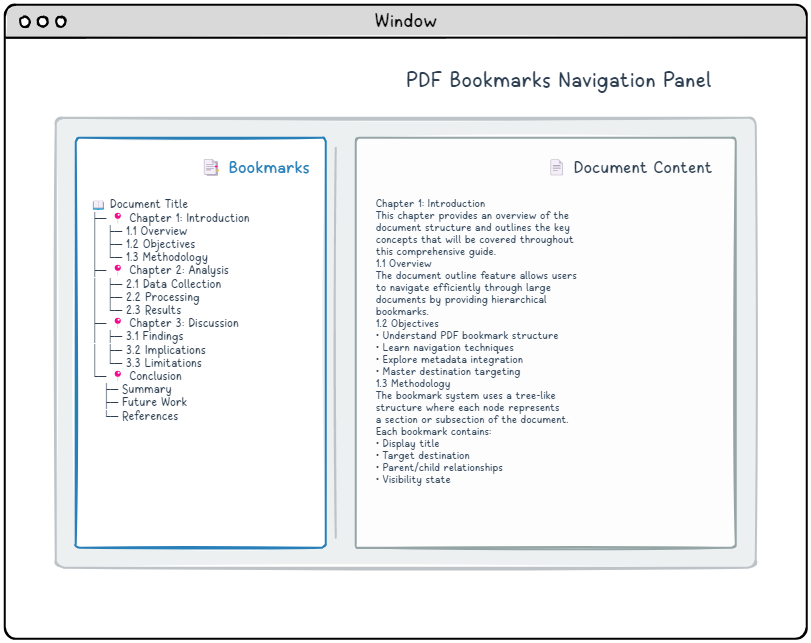
Under the hood, the implementation leans on a deliberate piece of alignment that is worth knowing about because it explains why the mapping is reliable. The internal GetDestType returns an integer 1..8 for the eight fit kinds in exactly the XYZ/Fit/FitH/FitV/FitR/FitB/FitBH/FitBV order. TPDFlibDestinationKind is declared so its ordinals line up one-to-one: dkXYZ is ordinal 1, dkFitBV is ordinal 8, with dkNone sitting at zero. So the conversion is a direct ordinal cast with a range guard, not a lookup table that can drift out of sync as the enum grows. That is a small detail, but it is the kind of thing that, done the naive way, becomes an off-by-one bug the first time someone reorders an enumeration
var
  Dest: TPDFlibDestinationInfo;
begin
  Dest := Lib.GetOutlineDestinationInfo(FoundID);
  if Dest.Page = 0 then
    Exit;  // destination did not resolve
  case Dest.Kind of
    dkXYZ:
      Writeln(Format('Page %d at (%.0f, %.0f), zoom %.2f',
        [Dest.Page, Dest.Left, Dest.Top, Dest.Zoom]));
    dkFitR:
      Writeln(Format('Page %d, rect L%.0f T%.0f R%.0f B%.0f',
        [Dest.Page, Dest.Left, Dest.Top, Dest.Right, Dest.Bottom]));
    dkFit, dkFitB:
      Writeln(Format('Page %d, fit whole page', [Dest.Page]));
  else
    Writeln(Format('Page %d, fit kind %d',
      [Dest.Page, Ord(Dest.Kind)]));
  end;
end;
A Page of zero is the signal that the destination did not resolve, usually because the action carries no destination or the named destination could not be found. Check it before you trust any coordinate. Note also that GetOutlineDestinationInfo looks in both places a destination can live: directly on the bookmark's /Dest, and inside an embedded GoTo action's /D. You do not have to know which form the producer used
Annotation actions and the SelectPage trap
Link annotations carry actions exactly the way bookmarks do, and GetAnnotActionInfo returns the same TPDFlibActionInfo record with the same kind-then-payload pattern. But there is a stateful catch here that does not apply to outlines, and it is the third trap
Annotations belong to pages, and PDF Library for Delphi exposes the current page's annotations through state that only becomes valid after you select that page. Call GetAnnotActionInfo without first calling SelectPage(N) and the annotation handle is zero; the call returns akNone and you wrongly conclude the page has no actionable annotations. The fix is one line, but it is easy to forget when you are looping over pages:
var
  P: Integer;
  Info: TPDFlibActionInfo;
begin
  for P := 1 to Lib.PageCount do
  begin
    Lib.SelectPage(P);   // mandatory before touching annotations
    // GetAnnotActionID(1) <> 0 is the reliable "has an action"
    // test. CheckPageAnnots returns a boolean-style flag, not a
    // count, so it is the weaker signal here.
    if Lib.GetAnnotActionID(1) <> 0 then
    begin
      Info := Lib.GetAnnotActionInfo(1);
      if Info.Kind = akURI then
        Writeln(Format('Page %d link -> %s', [P, Info.URI]));
    end;
  end;
end;
Two things in that loop are deliberate. First, SelectPage(P) comes before any annotation access on every iteration; the per-page annotation state does not carry over. Second, the existence test uses GetAnnotActionID(1) <> 0 rather than CheckPageAnnots. The latter reports presence as a boolean-style flag rather than a count, so a non-zero action ID is the more precise way to ask "is there a first annotation, and does it carry an action I can read?" One more subtlety worth flagging: for annotations, a JavaScript action's script is read from /JS directly, decoding a stream when the script is stored that way and reading a string otherwise, so it survives both common encodings
Where read-side introspection fits
These getters are intentionally narrow. They are pure reads built on top of the library's existing integer-handle action and destination layers, so they touch no write path and add no risk to documents you are also editing. They report what is in the file; they do not validate it against a policy or rewrite anything. If your goal is the inverse, building bookmarks and link annotations that carry these actions in the first place, that lives on the write side, and the companion piece on interactive form actions and JavaScript in Delphi walks through creating them. For pulling the visible and structural content out of a PDF rather than its navigation graph, see extracting text, images, and fonts with PDF Library for Delphi
The honest boundary to keep in mind: introspection only sees what the producer actually wrote. A bookmark whose action a generator left malformed, or a destination pointing at a named target that was never defined, will surface as akNone or a zero page rather than an exception. That is the right behavior for a read API auditing untrusted files, but it means your code should treat those zero results as "absent or unresolved," not as a guarantee of well-formed input. The typed action and destination introspection shown here is part of PDF Library for Delphi, the native PDF library for Delphi and C++Builder